

20 Simple Tasks to Automate Right Now: A Beginner’s Guide to Reclaiming 10+ Hours Weekly
If you’re new to automation, the idea of setting up systems and tools might feel overwhelming. The good news? You don’t need to be tech-savvy to start saving serious time. This guide walks you through 20 beginner-friendly automation tasks that anyone can set up, often in just minutes. Each one is designed to be simple, practical, and immediately useful. By the end, you’ll have a clear roadmap to free up more than 10 hours every week without touching a single line of code.
- Hire a Freelancer on Legiit to Set Up Your First Automations

Starting with automation can feel confusing if you’re not sure where to begin. Legiit connects you with affordable freelancers who specialize in setting up simple automation tools for beginners. You can hire someone to connect your email to your calendar, set up basic social media scheduling, or automate your invoicing system. The platform is straightforward to use, and many services are budget-friendly. This gives you a head start without needing to figure everything out alone.
- Automate Your Email Responses with Templates
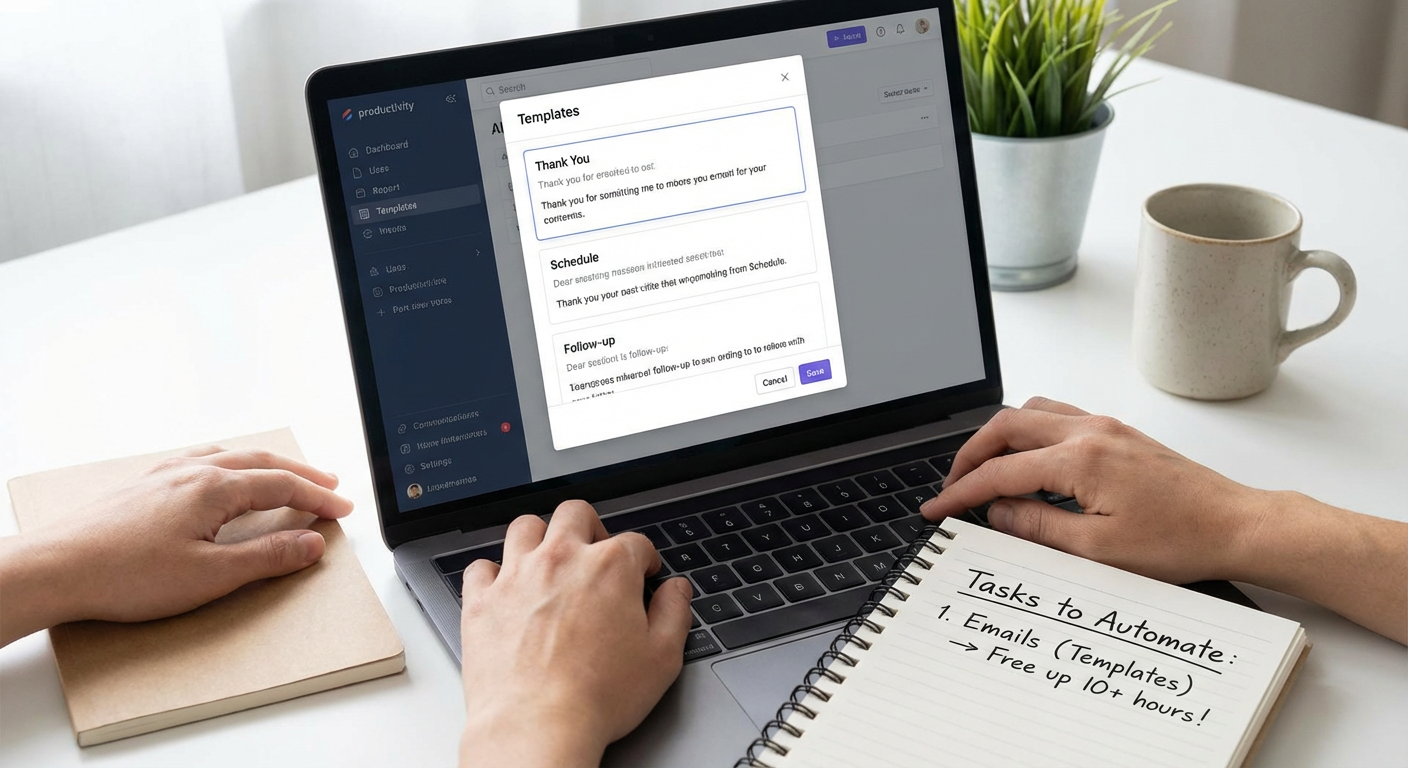
You probably answer the same questions over and over in your inbox. Most email platforms let you create templates or canned responses that you can insert with a few clicks. Gmail calls them “templates,” Outlook calls them “Quick Parts.” Set up five or six responses for your most common emails, like meeting requests, project updates, or general inquiries. This simple step can save you an hour or more each week and keeps your replies consistent.
- Schedule Social Media Posts in Batches
Posting to social media every day takes time and mental energy. Tools like Buffer, Hootsuite, or Meta Business Suite let you write and schedule a week’s worth of posts in one sitting. The interfaces are beginner-friendly, with clear buttons and helpful prompts. Spend 30 minutes on a Sunday scheduling your posts, and you won’t have to think about social media again until the following week. This alone can free up five or more hours monthly.
- Set Up Automatic Bill Payments
Paying bills manually every month is a time drain that adds stress to your life. Most banks and service providers offer automatic payment options that you can activate in a few clicks. Set up auto-pay for your utilities, subscriptions, credit cards, and recurring expenses. You’ll never miss a due date, and you’ll reclaim at least an hour each month that you used to spend logging into accounts and entering payment details.
- Use Calendar Scheduling Links to Eliminate Email Back-and-Forth
The “What time works for you?” email chain is a productivity killer. Tools like Calendly, Google Calendar’s appointment slots, or Microsoft Bookings let people book time with you directly. You set your available hours, share a link, and they pick a slot that works. No more sending five emails to schedule one meeting. This is one of the easiest automations to set up and can save you several hours every week.
- Automate Your Grocery List with a Shared App
Running out of milk or forgetting items at the store wastes time and trips. Apps like AnyList, OurGroceries, or even Apple’s Reminders let you create shared grocery lists that sync across devices. Add items as you think of them, and your list is ready when you shop. Some apps even let you organize by aisle or store. This small automation saves you at least 30 minutes a week in planning and return trips.
- Turn On Auto-Replies for After-Hours Emails
People will email you at all hours, but that doesn’t mean you need to respond immediately. Set up an auto-reply for emails received outside your work hours. Let people know when they can expect a response. This manages expectations and stops you from feeling pressured to check your inbox constantly. Most email platforms have this feature built in, and it takes less than two minutes to activate.
- Automate File Backups to the Cloud
Manually backing up your files is something most people forget to do until it’s too late. Services like Google Drive, Dropbox, or iCloud offer automatic backup features that save your files in real time. Once you set it up, you never have to think about it again. Your documents, photos, and important files stay safe without any effort on your part. This takes about 10 minutes to configure and runs forever.
- Set Up Automatic Savings Transfers
Building savings is easier when you don’t have to remember to transfer money each month. Most banking apps let you schedule automatic transfers from checking to savings on a set day. Even small amounts add up over time, and you won’t miss the money once it becomes routine. This simple automation takes two minutes to set up and helps you reach financial goals without constant effort.
- Use Smart Home Routines for Daily Tasks
If you have a smart speaker or smart lights, you can create routines that happen automatically. Set your coffee maker to start brewing at 7 a.m., have your lights turn off at bedtime, or program your thermostat to adjust when you leave for work. The apps for these devices are designed for beginners, with simple setup wizards. These small automations make your daily routine smoother and save you little bits of time that add up.
- Automate Meeting Notes with Recording and Transcription Tools
Taking notes during meetings splits your attention and slows down conversations. Tools like Otter.ai, Microsoft Teams transcription, or Zoom’s built-in recorder can capture and transcribe meetings for you. You stay focused on the discussion, and you get a written record afterward. Most of these tools are easy to turn on with a single click. This can save you an hour or more each week in note-taking and review time.
- Create Email Filters to Organize Your Inbox Automatically
A cluttered inbox wastes time and creates stress. Email filters automatically sort incoming messages into folders based on rules you set. Send newsletters to a “Read Later” folder, move receipts to “Finance,” or filter client emails into project folders. Every email platform offers this feature, and setting up a few basic filters takes about 15 minutes. You’ll spend far less time sorting through emails and finding what you need.
- Automate Appointment Reminders with Text or Email
If you schedule appointments for clients, customers, or even personal meetings, automated reminders cut down on no-shows and last-minute questions. Many calendar and scheduling tools can send reminder texts or emails a day or an hour before an appointment. This reduces the time you spend following up and keeps everyone on the same page. Setup is usually a checkbox or toggle in your scheduling tool.
- Use Password Managers to Autofill Logins
Typing passwords manually, resetting forgotten ones, and hunting for login details wastes more time than you realize. Password managers like Bitwarden, LastPass, or 1Password store your passwords securely and autofill them when you need them. They also generate strong passwords for new accounts. After a quick setup, you’ll save several minutes every day and improve your security at the same time.
- Automate Expense Tracking with Receipt Scanning Apps
Keeping track of receipts and expenses is tedious, especially if you wait until tax season. Apps like Expensify, Shoeboxed, or even your bank’s app can scan and categorize receipts automatically. Snap a photo of a receipt, and the app logs it for you. This is perfect for freelancers, small business owners, or anyone who needs to track spending. It saves hours during tax prep and keeps you organized year-round.
- Set Up Automatic Unsubscribes from Unwanted Emails
Your inbox fills up with newsletters and promotions you never read. Services like Unroll.Me or the unsubscribe features in Gmail and Outlook can help you mass-unsubscribe from unwanted emails. Some tools let you do this in bulk with a few clicks. Cleaning up your subscriptions once saves you time every single day by reducing inbox clutter. It takes about 10 minutes and makes a noticeable difference.
- Automate Task Reminders and To-Do List Updates
Keeping track of tasks in your head or on random scraps of paper leads to missed deadlines and stress. Apps like Todoist, Microsoft To Do, or Google Tasks let you set recurring tasks and automatic reminders. Need to submit a report every Friday? Set it once, and you’ll get a reminder every week. These apps are simple to use and help you stay on top of regular responsibilities without extra mental effort.
- Use Pre-Written Responses for Customer Service
If you handle customer questions, you likely answer the same things repeatedly. Create a document or use a tool like TextExpander to store pre-written responses. Type a short code, and the full response appears. This works for common questions about shipping, returns, product details, or troubleshooting. It keeps your answers fast and consistent, saving you hours each week while improving customer experience.
- Automate Report Generation with Spreadsheet Tools
If you create the same report every week or month, most spreadsheet programs can automate parts of the process. Google Sheets and Excel let you set up formulas, pivot tables, and charts that update automatically when you add new data. You can even schedule reports to email themselves. Learning a few basic formulas takes an afternoon, but it pays off every time you generate a report in seconds instead of an hour.
- Set Up Auto-Renewal Reminders for Subscriptions
Subscriptions can renew without you noticing, wasting money on services you no longer use. Calendar reminders or apps like Truebill can alert you before renewals happen. Set reminders a week before each subscription renews so you have time to cancel if needed. This small automation saves money and keeps you aware of what you’re actually paying for each month. It takes just a few minutes to set up for each service.
Automation doesn’t have to be complicated or intimidating. Each of these 20 tasks is simple enough for beginners to set up, often in just a few minutes. Start with two or three that will make the biggest difference in your daily routine, and build from there. Before you know it, you’ll have reclaimed 10 or more hours every week without learning anything overly technical. The time you save can go toward the work and activities that actually matter to you.
