
17 Enterprise-Ready Productivity Apps That Will Change Your Freelance Life
Freelancing has grown up. What started as a side hustle economy has become a serious business model that powers some of the world’s largest companies. If you’re managing a freelance practice that works with corporate clients, handles sensitive data, or coordinates multiple team members, you need tools that can scale with you. Consumer-grade apps might work for casual projects, but when you’re bidding on six-figure contracts or managing compliance requirements, you need software built for serious work. This list focuses on productivity apps designed with the features that matter most to professional freelancers: security protocols, team collaboration at scale, audit trails, and integration capabilities that let you plug into your clients’ existing systems.
- Legiit
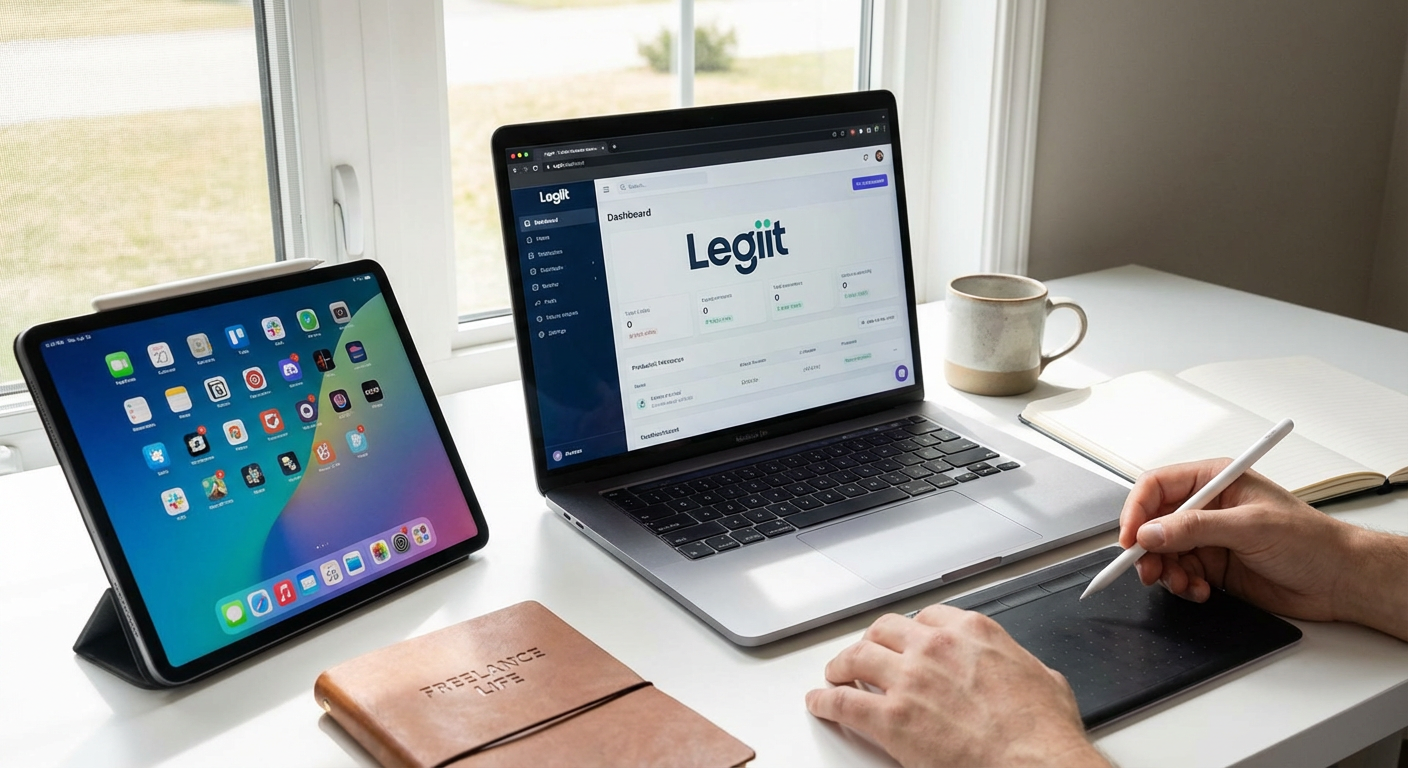
When your freelance business reaches a certain scale, managing client relationships, project pipelines, and service delivery becomes a full-time job on its own. Legiit provides a platform specifically designed for service-based freelancers who need structure around their client work. The platform handles everything from proposal generation to milestone tracking, with payment processing that creates the paper trail corporate clients expect. What sets it apart for professional freelancers is the built-in marketplace that can serve as a lead generation channel while you focus on delivering for existing clients. The system maintains detailed transaction records and communication logs, which becomes critical when you’re working with clients who have strict vendor management requirements.
- Microsoft 365 Business

Consumer versions of Office apps might handle basic documents, but the business tier offers capabilities that professional freelancers actually need. You get advanced security controls, including data loss prevention and rights management that let you control what clients can do with files you share. The admin console gives you centralized control over all your apps and data, with compliance tools that help you meet industry-specific requirements like HIPAA or GDPR. Email hosting through Exchange Online provides the reliability and deliverability that free email services can’t match, which matters when you’re corresponding with corporate procurement departments. The version history and eDiscovery features create the audit trail that enterprises expect from their vendors.
- Slack Enterprise Grid
Standard Slack works fine for small teams, but Enterprise Grid is built for freelancers who manage multiple client workspaces or large collaborative projects. The platform allows you to work across different organizations without switching accounts, maintaining separate security policies and data retention rules for each client. Advanced identity management lets you integrate with corporate single sign-on systems, which is often a requirement when working with large companies. The compliance exports and audit logs provide the documentation you need when clients ask about data handling. For freelancers managing teams or working with multiple corporate clients simultaneously, the organizational tools prevent the chaos that comes from juggling dozens of channels and workspaces.
- Asana Business
Project management needs change dramatically when you’re coordinating work across multiple stakeholders with formal approval processes. Asana’s business tier provides portfolio management views that let you see status across all your active projects, with custom fields and templates that enforce consistent processes. The proofing and approval workflows create clear paper trails for who approved what and when, which becomes essential for projects with legal or compliance implications. Advanced search and reporting let you pull data for client status meetings or invoice backup. The platform integrates with enterprise tools like Salesforce and Tableau, letting you plug into your clients’ existing workflows rather than forcing them to adapt to your systems.
- LastPass Business
Managing passwords becomes a security liability as your freelance practice grows, especially when you’re handling client system access and sensitive credentials. LastPass Business provides centralized password management with policies you can enforce across your team or contractors. The shared folders let you grant and revoke access to credentials without exposing the actual passwords, which is critical when team members or subcontractors change. Security dashboards show you weak or reused passwords across your organization, and the audit logs track who accessed what and when. For freelancers working with clients who require security attestations, having an enterprise password manager demonstrates you take access control seriously. The emergency access feature ensures business continuity if something happens to you.
- QuickBooks Online Advanced
Basic accounting software handles invoices and expenses, but the Advanced tier provides tools that professional freelancers need for financial management at scale. Custom user permissions let you give your accountant, bookkeeper, or business manager exactly the access they need without exposing everything. The advanced reporting engine creates the detailed financial statements that banks require for business loans or that you need for strategic planning. Batch invoicing and automated workflows save hours when you’re managing dozens of active clients. The platform connects to over 650 business apps, letting you automate data flow between your project management, time tracking, and financial systems. For freelancers with complex revenue models or multiple service lines, the class and location tracking provides the visibility you need to understand what’s actually profitable.
- Zoom Business
Free video conferencing might work for casual calls, but professional freelancers need reliability and features that consumer plans don’t provide. The business tier removes time limits and provides meeting capacity for larger client presentations. Cloud recording with transcription creates documentation of client meetings and approvals, with storage that meets retention requirements. The admin controls let you enforce security settings like waiting rooms and password requirements, preventing the embarrassing security incidents that can cost you clients. Single sign-on integration and user management tools become important when you have a team or need to coordinate with client IT departments. The reporting dashboard shows usage patterns and meeting quality metrics, helping you troubleshoot issues before they impact important client calls.
- Salesforce Essentials
Customer relationship management becomes critical when your freelance business grows beyond a handful of clients. Salesforce Essentials provides enterprise-grade CRM capabilities scaled for smaller operations. The platform tracks every interaction with prospects and clients, creating the institutional knowledge that prevents things from falling through the cracks. Opportunity management helps you forecast revenue and identify which prospects are worth your time. Email integration captures correspondence automatically, and the mobile app keeps your client data accessible wherever you work. For freelancers pursuing corporate clients, having a proper CRM demonstrates organizational maturity and provides the reporting that helps you understand your sales patterns. The platform scales with you, so you’re not switching systems as your business grows.
- Dropbox Business
File storage and sharing requirements change dramatically when you’re handling client files at scale or dealing with regulated data. Dropbox Business provides unlimited storage with advanced sharing controls that let you set expiration dates and password protection on shared links. The admin console gives you visibility into all shared files and lets you remotely wipe data from lost devices. Integration with eSignature tools and document workflow apps creates a complete document management system. The version history and file recovery features protect against accidental deletions or ransomware. For freelancers working with large media files or extensive document libraries, the transfer and storage speeds remain consistent even with terabytes of data. The audit logs and compliance certifications help you meet client requirements for data handling.
- Harvest Business
Time tracking becomes more sophisticated when you’re managing billable hours across multiple projects and team members. Harvest Business provides the detailed time capture and reporting that clients expect when they’re paying hourly or reviewing budgets. The approval workflows let project managers review time entries before they hit invoices, catching errors before clients see them. Capacity planning reports show you who’s overloaded and who has bandwidth, helping you allocate resources effectively. The platform integrates with project management tools to pull in task context automatically, and the detailed reports break down profitability by client, project, or team member. For freelancers who need to demonstrate how time was spent or who manage subcontractors, the audit trail and detailed timesheets provide the documentation that keeps everyone aligned.
- DocuSign Business Pro
Contracts and agreements multiply as your freelance practice grows, and managing signature workflows manually creates bottlenecks and compliance risks. DocuSign Business Pro automates the entire signature process with templates, routing rules, and reminders that keep deals moving. The audit trail documents exactly who signed what and when, with tamper-evident seals that hold up legally. Bulk send capabilities let you handle multiple similar agreements efficiently. The platform integrates with your CRM and storage systems, keeping signed documents organized and accessible. For freelancers working with corporate clients or handling sensitive agreements, the advanced authentication options and compliance certifications demonstrate you take contracts seriously. The payment collection feature lets you capture deposits or fees as part of the signing process, reducing friction in your sales cycle.
- 1Password Business
Password security takes on new dimensions when you’re managing access to client systems and sensitive business tools. 1Password Business provides encrypted password storage with sharing capabilities that let you grant access without exposing credentials. The travel mode feature lets you hide sensitive vaults when crossing borders, protecting client data during international work. Integration with identity providers and single sign-on systems simplifies access management as your tool stack grows. The activity log shows you exactly who accessed which credentials and when, providing accountability that matters when you’re managing a team. For freelancers who need to pass security reviews or demonstrate access controls, having an enterprise password manager with proper policies shows you understand information security. The breach monitoring alerts you when credentials are compromised so you can respond quickly.
- Notion Business
Knowledge management becomes a challenge as your freelance business accumulates procedures, client documentation, and project history. Notion Business provides a flexible workspace that combines wikis, databases, and project management in one platform. The advanced permissions let you control exactly what team members or clients can see and edit. Version history and page analytics show you how documentation evolves and what information gets used. The API and integration capabilities let you connect Notion to your other systems, creating a central hub for business information. For freelancers managing complex projects or building repeatable processes, the database features let you create custom systems for tracking anything from client contacts to content calendars. The workspace analytics show you how your team uses the platform, helping you identify documentation gaps or underused resources.
- Calendly Teams
Scheduling complexity grows exponentially when you’re coordinating across multiple team members, client stakeholders, and time zones. Calendly Teams provides centralized scheduling with round-robin assignment, collective availability, and sophisticated routing rules. The platform integrates with your calendar system to prevent double-bookings and respects working hours across time zones. Custom workflows can qualify leads before they book time, and the payment integration lets you charge for consultations. For freelancers who bill by the hour or manage a team of specialists, the automated scheduling eliminates the email tennis that wastes billable time. The reporting shows you meeting patterns and no-show rates, helping you optimize your availability. The Salesforce integration creates activity records automatically, keeping your CRM current without manual data entry.
- Miro Business
Collaborative whiteboarding becomes essential when you’re facilitating workshops, planning projects, or working through complex problems with clients. Miro Business provides an infinite canvas with templates for everything from user journey mapping to sprint planning. The presentation mode lets you guide clients through your thinking without the chaos of a freeform board. Voting and timer features structure brainstorming sessions, and the video chat integration keeps everyone connected. For freelancers in design, consulting, or strategy work, the visual collaboration tools help you involve clients in your process rather than just delivering finished work. The board permissions and version history provide control over who can edit and the ability to revert changes. Integration with project management tools lets you convert workshop outputs directly into actionable tasks.
- Expensify Business
Expense management grows from a minor hassle to a major time sink as your freelance business scales. Expensify Business automates receipt capture, categorization, and report generation with accuracy that manual processes can’t match. The corporate card integration imports transactions automatically, and the mileage tracking uses GPS to calculate deductions. Multi-level approval workflows handle expense review when you have team members or need oversight. The platform integrates with accounting systems to eliminate double entry, and the audit trail documents every expense for tax or client reimbursement purposes. For freelancers who travel for client work or manage project expenses, the reporting breaks down spending by client or project. The policy enforcement prevents out-of-policy expenses before they happen, and the real-time visibility helps you manage cash flow.
- RingCentral Office
Professional phone systems become important when clients expect reliable communication and your personal cell phone number won’t cut it anymore. RingCentral Office provides business phone service with features like auto-attendants, call queues, and extension dialing that make you sound like a larger operation. The desktop and mobile apps let you take business calls from anywhere while keeping your personal number private. Call recording and transcription create documentation of client conversations, and the analytics show you call patterns and missed connections. For freelancers who manage a team or need to route calls to different people based on expertise, the intelligent call handling ensures clients reach the right person. The integration with CRM systems logs calls automatically, and the video meeting capabilities provide an all-in-one communication platform.
Building a freelance practice that competes for serious work requires tools that match the professionalism your clients expect. The apps on this list provide the security, scalability, and features that separate casual freelancers from business owners who can handle complex projects and demanding clients. Start with the foundations like secure file storage, proper accounting, and reliable communication, then add specialized tools as your needs become clear. The investment in professional-grade software pays for itself through the larger clients you can pursue, the efficiency gains from automation, and the reduced risk of security incidents or compliance failures. Your tools should work as hard as you do, handling the administrative overhead so you can focus on the skilled work that clients actually pay for.
